API/MCP Gateway
One API and MCP server for every connected account
Connect Google, Meta, Microsoft, Shopify, Salesforce and the rest once in Metric Sensei. Then reach all of them, plus our own services, through one REST API and one MCP server, with the same people, permissions and logs.

01
For AI tools
Add one MCP server to Claude, ChatGPT or any MCP client and it can use every source the person can see.
- Sign in with your Metric Sensei account; no keys pasted into the AI tool. Both MCP servers, the gateway's and the Admin API's, accept the sign-in, and personal API tokens still work.
- Only the tools for your connected sources appear, so the model isn't confused by the rest.
- Combined tools answer cross-source questions, such as ad-driven lift, in one call.
02
For your own code
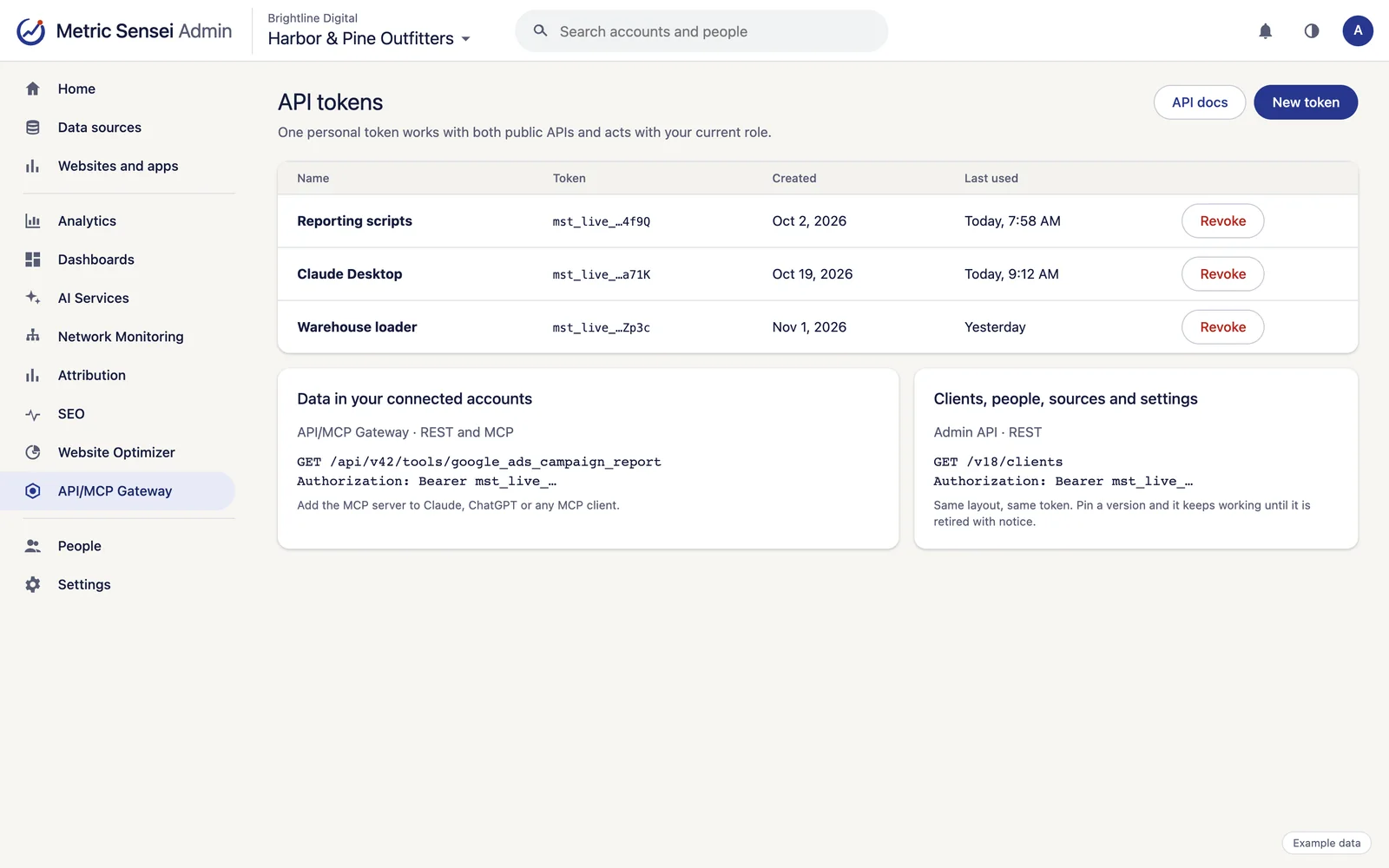
The same tools as a REST API, with an OpenAPI description and documentation.
- Two public APIs with the same layout: the gateway for the data in your connected accounts, and the Admin API for clients, people, sources and settings.
- One personal API token works with both. It belongs to one person and acts with that person's current role.
- Each deploy is a new API version. Pin a version and it keeps working until it is retired with notice.
03
Safe by default
Connections are read-only unless an admin allows writes. Risky actions return a preview first and need confirmation.
- New ad campaigns, ad groups and ads start paused.
- Every change made through the gateway is recorded in the account's activity log.
- Credentials stay encrypted in Metric Sensei and are never returned.
- A per-client rate limit protects your accounts from runaway scripts.
04
Connections that stay healthy
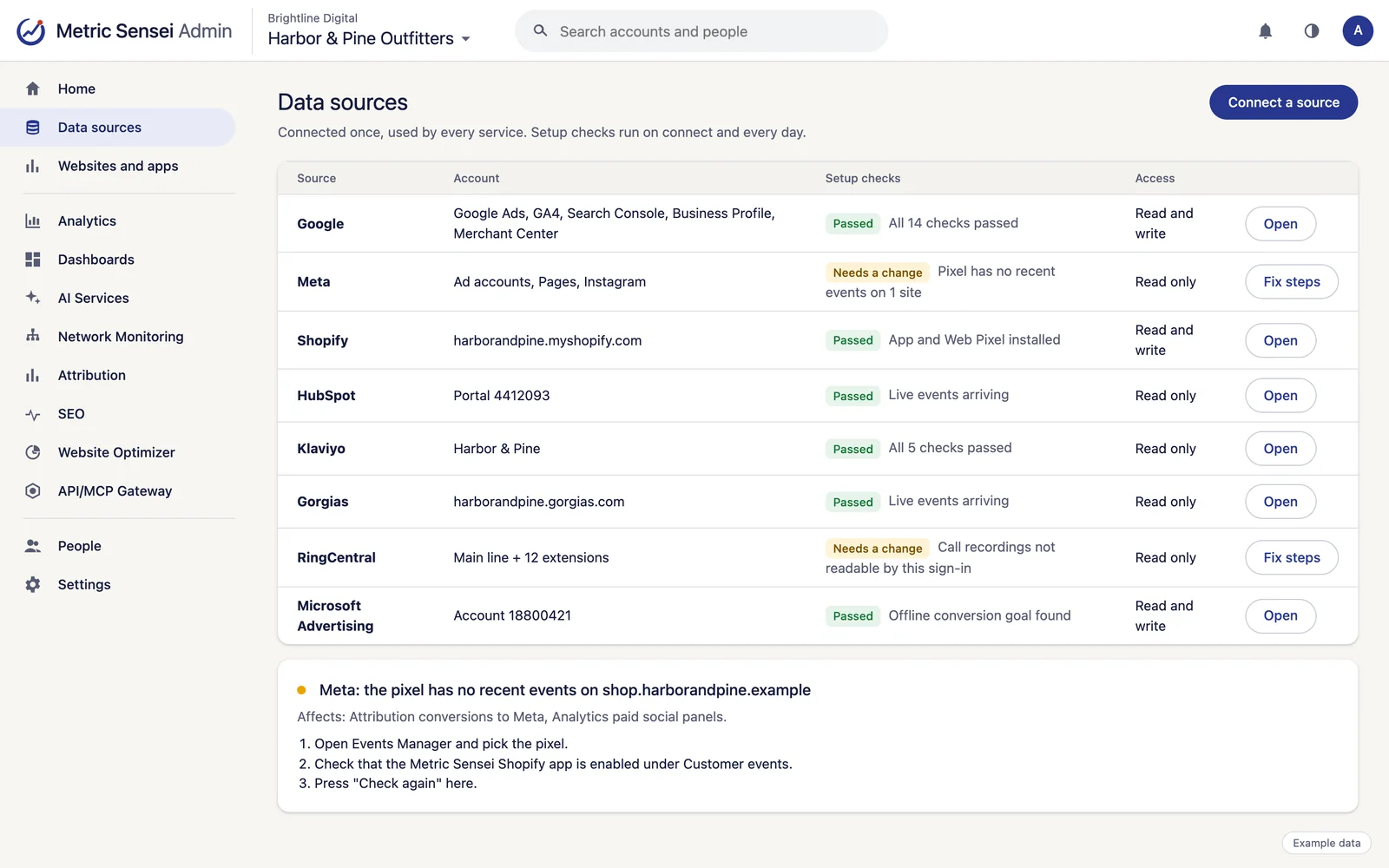
When you connect an account, and every day after, Metric Sensei checks the settings each feature needs, such as auto-tagging in Google Ads or a published tag container, and says what to change.
- Each check names the features it affects and the steps to fix it.
- Problems that stop a feature are emailed in a daily digest; the rest wait in the app.
- The gateway and the AI assistant can read the same checks.
Works with
Uses the accounts you already have.
Connect each account once and every service can use it.
Google Ads
Campaign, keyword and search-term performance, Local Services Ads leads, conversions sent back, and changes with your approval.
Google Analytics 4
GA4 reports and history beside our own numbers, plus property settings.
Google Data Manager
Customer Match audiences and offline conversions for Google Ads, through Google's Data Manager API.
Meta Ads
Facebook and Instagram ad performance, audiences and pixels, with Conversions API sends from Attribution.
Microsoft Advertising
Bing and Microsoft ad performance, conversion goals and UET tags, with offline conversions sent back.
Shopify
The Metric Sensei app adds the tag and a Web Pixel for checkout, reads orders, products and customers, and matches customers to their visits.
HubSpot
Contacts, companies, deals, forms, marketing emails and campaigns, with won deals sent to the ad platforms.
Salesforce
Leads, opportunities, campaigns, reports and dashboards, with lead sources filled in and won deals sent to the ad platforms.
Oracle NetSuite
Customers, leads, transactions and sales summaries from your ERP.
Mailchimp
Audiences, campaigns and their results, automations and store orders, with email clicks matched to visits.
Gorgias
Helpdesk tickets, customers with their store orders, satisfaction surveys, support statistics and voice calls.
Supermetrics
Reach the platforms your Supermetrics team already connects, such as LinkedIn and TikTok.
See every integration.
Who uses it

Online stores
Sales, spend, email, support and shipping in one place, with every order traced to its source.


Data and AI teams
One API and MCP server for every connected account, and raw events in your warehouse.
Questions
Common questions
Which AI clients work with it?
Any client that supports remote MCP servers over HTTPS, including Claude and ChatGPT.
Can the AI change my ad accounts?
Only on connections where an admin allowed writes, and risky changes, such as raising a budget or publishing, show a preview and wait for confirmation.
Is there a separate API for account settings?
Yes. The Admin API manages clients, people, sources and settings, and the gateway is for the data inside your connected accounts. One personal API token works with both.